
PunchWatch: boxing punch tracker for Apple Watch
Box with your Apple Watch on and it counts your punches for you. PunchWatch sorts them into jabs, crosses, hooks and uppercuts and grades each one the moment you throw it. There is no extra gear to wear and nothing to set up.
What PunchWatch tracks
Jabs, crosses, hooks and uppercuts
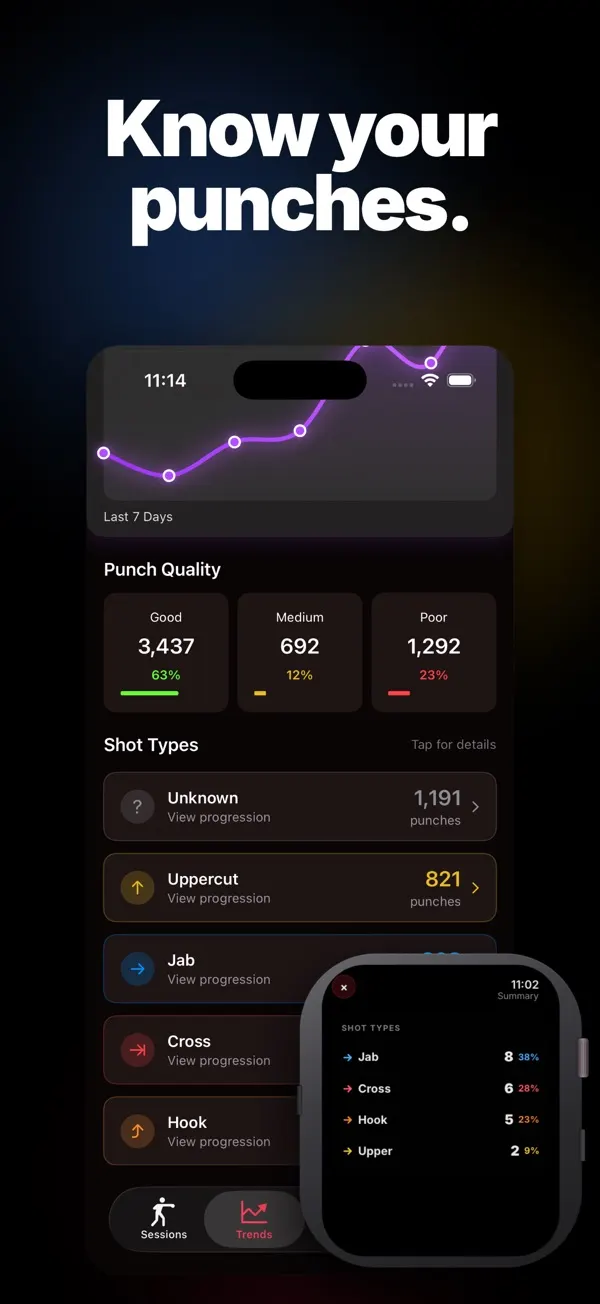
The watch reads each punch from your wrist motion and tallies it by type. You can see if you lean on the jab or forget your uppercuts. Punches it can't place are marked unknown.
Every punch rated on the spot
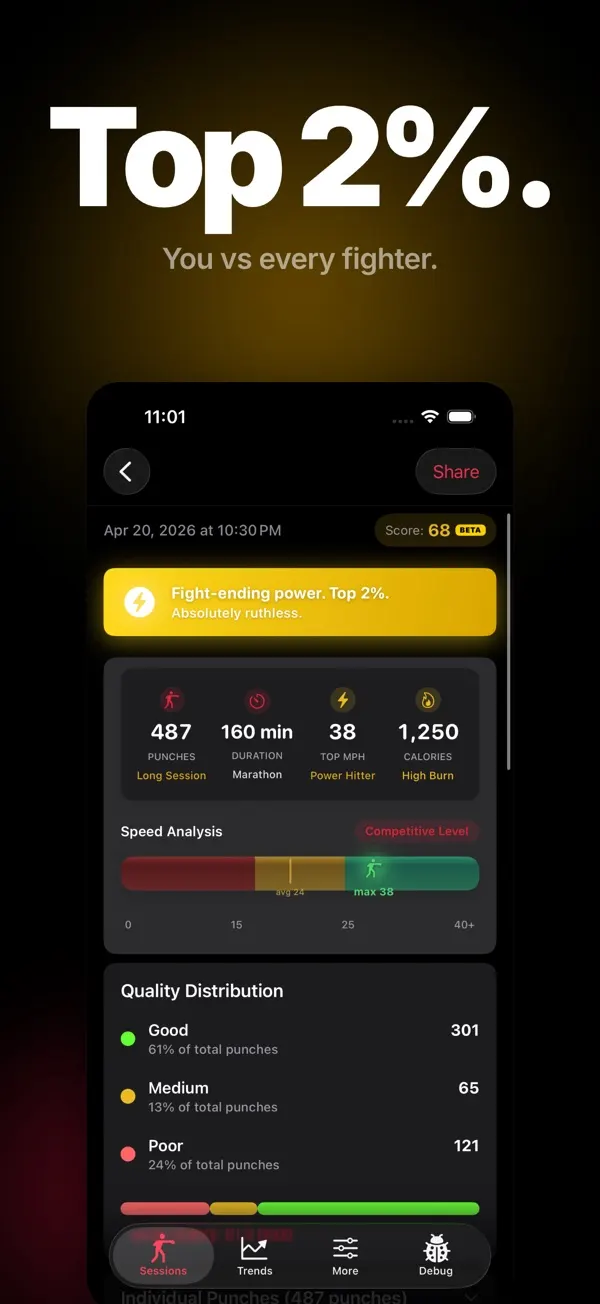
Each punch is rated good, medium or poor from its estimated speed and timing. The screen flashes green, yellow or red straight after. You can turn the flash off in settings.
Estimated punch speed
Every punch gets an estimated mph reading on the watch. Your fastest punch and your average are kept for the session.
Combo calls and cues
Throw a quick 1-2 or 1-2-3 and the watch names the combo. Short cues also flag flurries, a new best speed, punch milestones and a dropping pace.
Counts as a boxing workout
Each session runs as a boxing workout on the watch. If you allow it, the workout is saved to Apple Health with your heart rate and calories.
Your boxing log on iPhone
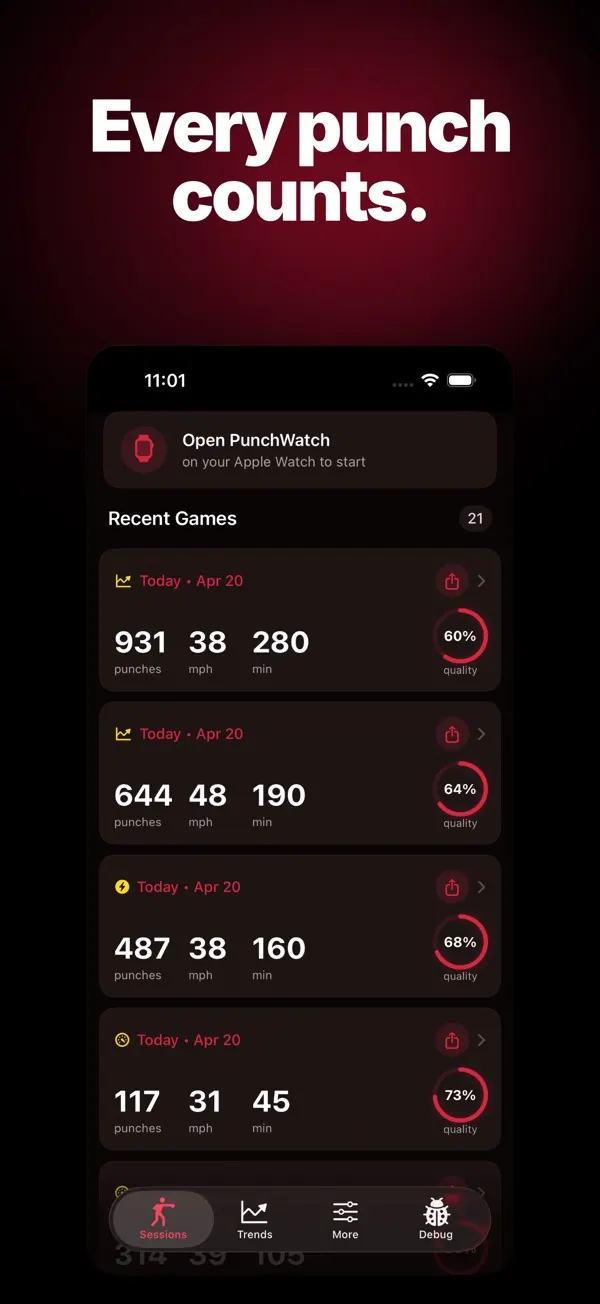
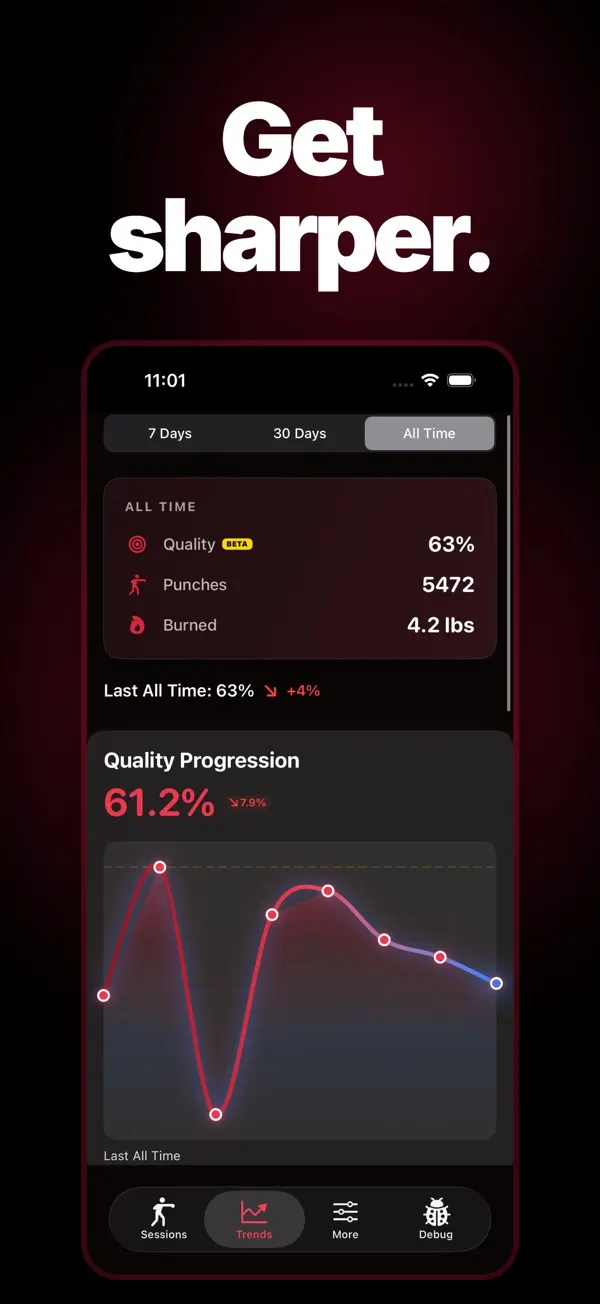
The iPhone app keeps each session with its punch count, top speed and quality split. Trends chart your punch quality over 7 days, 30 days or all time.
How it works
- Tap start in PunchWatch on your watch before you glove up. Your first five punches are a quick calibration.
- Train at the gym, at home or outdoors. Your phone can stay in the locker.
- When you stop, the watch sums up the session: total punches, your mix of punch types, your ratings and estimated speed.
Questions
Is there a boxing app for Apple Watch?
Yes. PunchWatch is a boxing tracker that lives on the watch and counts your punches while you train. Each session also runs as a boxing workout that can be saved to Apple Health.
Can Apple Watch count punches?
Yes, with PunchWatch. It tracks your wrist with the watch's motion sensors and sorts each punch as a jab, cross, hook or uppercut. Anything it can't place is marked unknown.
Is PunchWatch free?
Counting and rating punches on Apple Watch costs nothing, and the app is free to download. You need a subscription to open the iPhone app, which holds your session history, trends and full punch analysis.
Do I need my iPhone with me when I train?
No. PunchWatch counts and rates your punches on the watch by itself. When your watch and phone reconnect, the session moves across to the iPhone app.
Which watchOS and iOS versions are supported?
PunchWatch needs watchOS 26 or later on the watch. The iPhone app needs iOS 26.2 or later.
How does the watch work out punch speed?
Fist speed is estimated from how sharply your wrist accelerates, as picked up by the watch's motion sensors. Use it to compare your own punches. It is not a radar reading.
Where is my punch data kept?
Per the privacy policy, punch stats, performance numbers and training data stay on your Apple Watch and iPhone. Google Analytics and Smartlook receive anonymous app usage, like your device type and the screens you open. Read the PunchWatch privacy policy.