
TennisWatch: tennis tracker and score keeper for Apple Watch
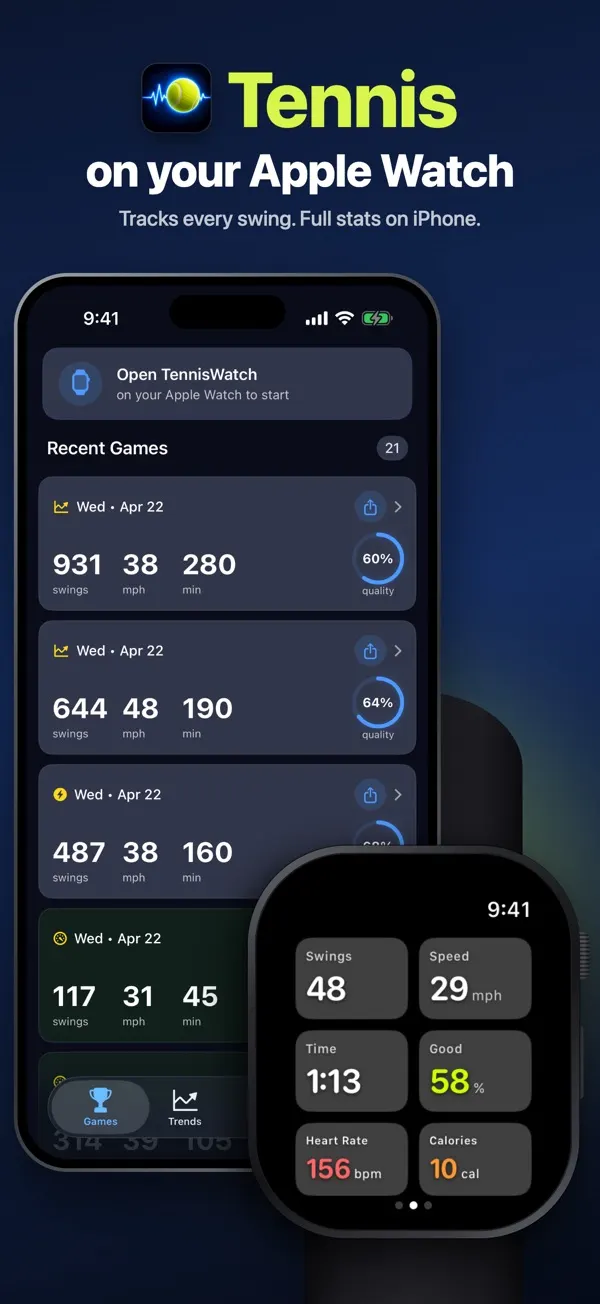
Put your Apple Watch on the wrist that holds the racket and start rallying. TennisWatch names your forehands, backhands, volleys, slices, drop shots and smashes, and rates each swing.
What it tracks on court
Groundstrokes to smashes
It tells a forehand from a backhand, and splits volleys and drop shots by side. Slices and overhead smashes are picked out too.
Instant feedback on each stroke
You get a good, medium or poor rating after every stroke. The screen flashes, and you can turn on a wrist tap too, so your eyes can stay on the ball.
Racket-head speed, estimated
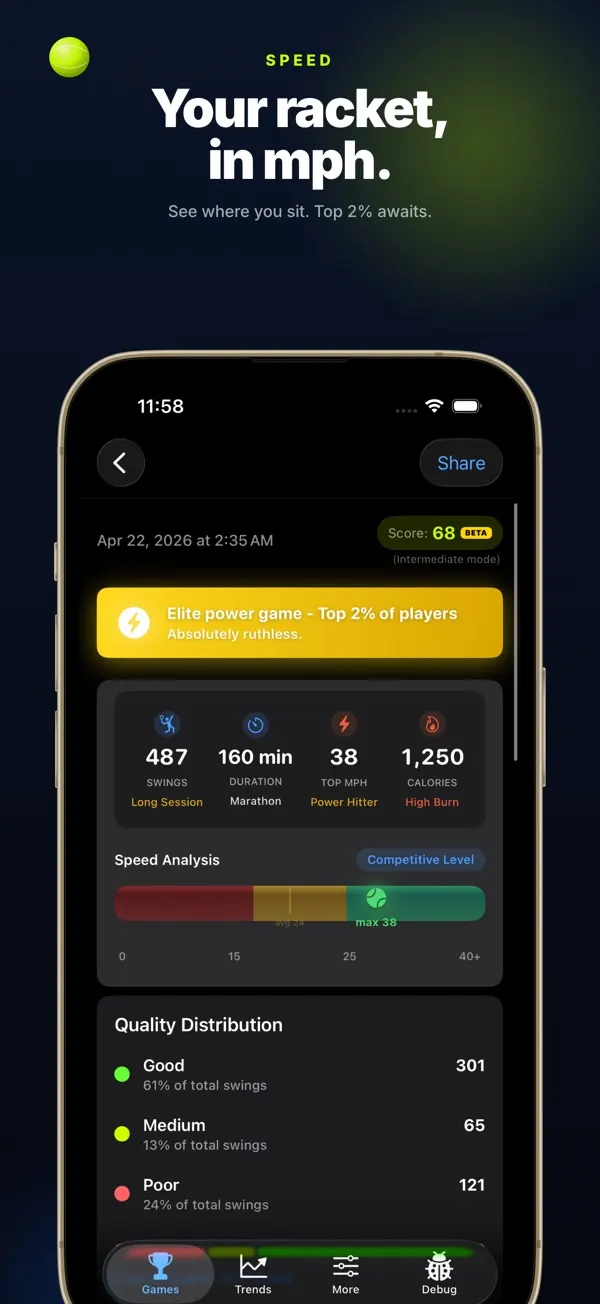
After each stroke the watch shows an estimated speed in mph. The number comes from how quickly your wrist rotates.
Match score on your wrist
Swipe to the score screen and tap YOU or OPP after each point. It follows deuce and advantage, plays a tiebreak at 6-6 and runs best of three sets. Hit the wrong button? The undo arrow takes back the last point.
Heart rate, calories and Apple Health
Heart rate and calories show live on the watch. Give it Health access and each session is saved to Apple Health as a tennis workout.
Review it all on iPhone
Open a session to see your shot mix, speed and quality counts, plus coaching tips. Trend charts and achievements show how your game is moving.
How to track a tennis session
- Open TennisWatch on your watch, pick left or right wrist, and tap start.
- Drill, rally or play a set. Keep your iPhone on the bench or in your racket bag.
- End the session for a quick summary on the watch. Your iPhone gets the full breakdown after that.
Read the full guide: how to track tennis on Apple Watch.
Common questions
Is there a tennis app for Apple Watch that tracks strokes?
Yes. TennisWatch picks out your forehands, backhands, volleys, slices and smashes as you rally. It keeps the set score too, and can log a tennis workout.
Is TennisWatch free?
The download is free, and tracking and score keeping on the watch are free. The iPhone app, with your session history and trends, needs a paid plan.
Can I leave my iPhone in my tennis bag?
Yes. Stroke detection happens on the watch itself. The session copies over to the iPhone app once you end it.
Which wrist should I wear my watch on for tennis?
Your racket hand. If you hit a two-handed backhand, keep it on your main swinging hand. You can pick left or right wrist on the watch.
What do I need to run TennisWatch?
Your Apple Watch needs watchOS 26.2 or newer. The iPhone it pairs with needs iOS 26.2 or newer.
Is the racket speed a radar reading?
No. TennisWatch estimates racket-head speed from how fast your wrist rotates, using the watch's motion sensors. It won't match a radar gun, which measures the ball, not the racket.
What does TennisWatch do with my data?
Swing tracking is processed on your Apple Watch and iPhone, according to the privacy policy. The app also reports anonymous usage, like which screens you view, to Google Analytics and Smartlook. Read the TennisWatch privacy policy.